
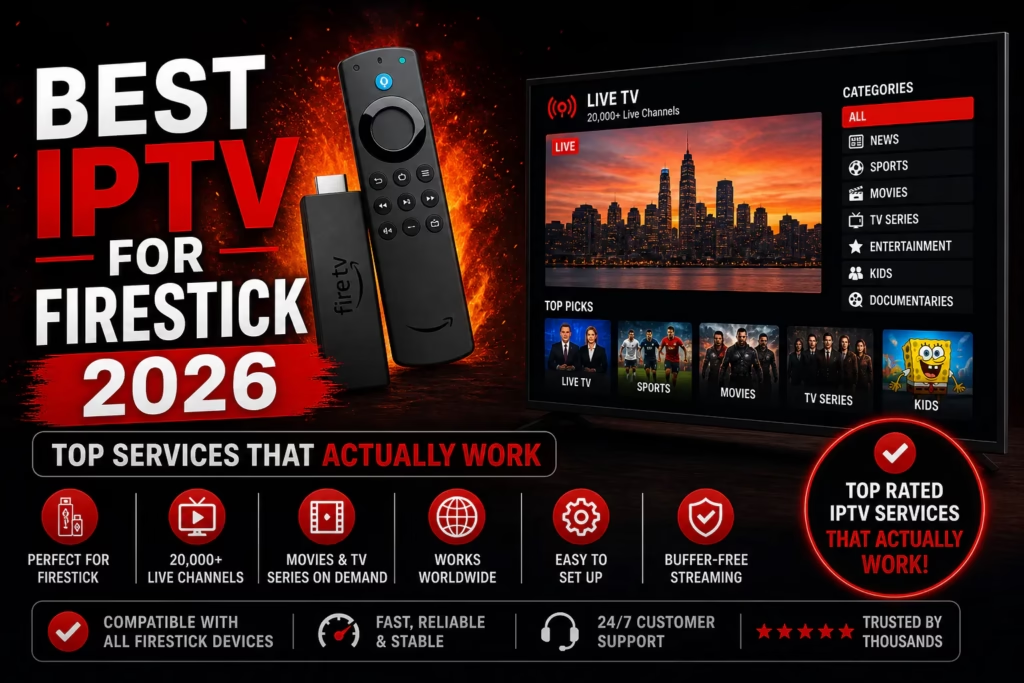
Amazon Firestick is the most popular device for IPTV streaming. It is affordable, widely available, and works with every major IPTV service. But not all IPTV services perform equally on Firestick – some have dedicated apps that make setup straightforward, others require sideloading through the Downloader app, and performance varies between Firestick generations.
This page covers the best IPTV services for Firestick in 2026, with specific notes on how each one works on Fire TV devices, what setup involves, and which services are most reliable for Firestick users specifically.
How to Install IPTV on Firestick
Before getting into specific services, here is the standard installation process that applies to most IPTV providers on Firestick:
- Go to Settings > My Fire TV > Developer Options and enable Apps from Unknown Sources
- From the Firestick home screen search for and install the Downloader app – this is a legitimate Amazon app that lets you sideload APKs
- Open Downloader and enter the URL or downloader code for your IPTV player app (TiviMate, IPTV Smarters Pro, or a provider’s own app)
- Install the player, open it, and enter the M3U URL or Xtream Codes credentials supplied by your IPTV provider after subscribing
The best IPTV players for Firestick are TiviMate (most feature-rich, best EPG, adjustable buffer) and IPTV Smarters Pro (easier for beginners). Both are available directly from the Amazon Appstore without sideloading. Both work with every provider on this page.
Best IPTV Services for Firestick in 2026
1. Krooz TV – Best Overall for Firestick
Krooz TV is our top overall pick for Firestick. The 30,000+ channel library is the broadest in this comparison, the 7-day refund window gives meaningful time to test on your specific device before committing, and dedicated installation guides on their website cover TiviMate and Smarters Pro setup on Firestick step by step. M3U and MAG formats both work cleanly. The 12-month single connection plan at $85 ($7.08/month) is one of the lowest annual rates in this category, and multi-connection plans support up to 5 simultaneous streams across multiple Firestick devices in the household.
Read our full Krooz TV review | Start free trial
2. Xtreme HD IPTV – Best Dedicated App on Firestick
Xtreme HD IPTV has a dedicated branded app for Firestick and Fire TV, accessible via Downloader code 2629562. This removes the need to configure a third-party player – enter the code, download the app, log in, and stream. For anyone who wants the simplest possible Firestick setup this is a genuine advantage. The VOD library at 180,000+ is the largest in this comparison. Pricing is higher than most alternatives at $15.99/month, and the 3-day refund window is shorter than most competitors – use the free trial thoroughly before purchasing.
Read our full Xtreme HD IPTV review | Start free trial
3. Double Click TV – Best Value with Dedicated App
Double Click TV offers both a dedicated Firestick app (AFTVNEWS downloader code 5704365) and full compatibility with TiviMate and Smarters Pro. The 130,000+ VOD library is among the largest available at this price point, the 5-connection annual plan at $140 matches Krooz TV’s equivalent price, and a 10% Bitcoin discount (code BTC) reduces it further. The included Web TV Player lets you stream from any browser when your Firestick is occupied by another household member.
Read our full Double Click TV review | Start free trial
4. Flash 4K IPTV – Best Budget Firestick Option
Flash 4K IPTV is the most affordable option on this list at $11.99/month with a 36-hour no-card trial – the lowest barrier entry point for testing IPTV on Firestick. Install TiviMate or Smarters Pro from the Amazon Appstore, request a trial, enter the credentials, and test the full service on your device before spending anything. 18,000+ channels, 135,000+ VOD, 7-day refund, and genuine 4K content for Firestick 4K and 4K Max owners.
Read our full Flash 4K IPTV review | Start free trial
5. Honey Bee IPTV – Best for First-Time Firestick Users
Honey Bee IPTV offers a 36-hour no-card free trial at $11/month – one of the cheapest starting points in this comparison. 20,000+ channels, 100,000+ VOD, and up to 5 simultaneous connections. For first-time Firestick IPTV users who want to test the format without any financial commitment, starting with the Honey Bee or Flash 4K trial makes sense – set up TiviMate once and use the same player to test both back to back by simply swapping credentials.
Read our full Honey Bee IPTV review | Start free trial
6. Tivistation – Best Single-Firestick Annual Value
If you stream on a single Firestick and want the lowest annual cost, Tivistation’s 12-month plan at approximately $95/year ($8/month) is one of the cheapest annual single-connection rates in this comparison. 23,000+ channels, 100,000+ VOD, PPV included, 7-day refund. PayPal accepted alongside cards and crypto – useful for Firestick users who prefer not to enter card details. Standard plans are single connection – if you have multiple Fire TV devices that need to stream simultaneously, check multi-room availability with support first.
Read our full Tivistation review | Start free trial
Comparison Table
| Provider | Channels | From/mo | Trial | Refund | App Code |
|---|---|---|---|---|---|
| Krooz TV | 30,000+ | $15 | 24 hrs | 7 days | TiviMate / Smarters |
| Xtreme HD IPTV | 20,000+ | $15.99 | Yes | 3 days | 2629562 |
| Double Click TV | 28,000+ | $15 | 24 hrs | 7 days | 5704365 (AFTVNEWS) |
| Flash 4K IPTV | 18,000+ | $11.99 | 36 hrs | 7 days | TiviMate / Smarters |
| Honey Bee IPTV | 20,000+ | $11 | 36 hrs | Confirm | TiviMate / Smarters |
| Tivistation | 23,000+ | $15 | 24 hrs | 7 days | TiviMate / Smarters |
Which Firestick Model Do You Have?
Firestick 4K Max – the best model for IPTV. Wi-Fi 6, enough processing power for 4K streams without buffering, and sufficient storage for multiple IPTV apps. Any service on this page will perform well.
Firestick 4K – handles all IPTV streams including 4K reliably. Strong second choice if you do not need Wi-Fi 6.
Firestick HD (3rd gen) – handles HD and FHD streams well. 4K streams may occasionally stutter on heavy bitrate channels. Enable hardware decoding in TiviMate.
Firestick Lite – works for HD streaming but has limited storage and processing power. Keep installed apps minimal, clear the cache regularly, and avoid 4K streams.
Older models (1st and 2nd gen) – may struggle with FHD streams at peak hours. If you experience persistent buffering on an older device, the Firestick rather than the IPTV service may be the bottleneck.
Optimising IPTV Performance on Firestick
Two TiviMate settings make the biggest difference to Firestick IPTV performance:
Buffer size – go to Settings > Player > Buffer Size and increase from the default to 5-10 seconds. This smooths over brief connection fluctuations and eliminates most minor buffering on stable connections.
Hardware decoding – go to Settings > Player > Hardware Decoding and enable it. This offloads video processing to the Firestick’s dedicated video chip rather than the main processor, reducing CPU load and improving stream smoothness significantly on Firestick HD and 4K models.
For a full breakdown of buffering causes and fixes see our IPTV buffering troubleshooting guide.
Frequently Asked Questions
What is the best IPTV app for Firestick?
TiviMate is the most capable IPTV player for Firestick – best EPG, adjustable buffer, hardware decoding, and the cleanest interface. Available directly from the Amazon Appstore. IPTV Smarters Pro is a simpler alternative for less technical users.
Do I need to jailbreak my Firestick for IPTV?
No. Enabling Apps from Unknown Sources is a standard Amazon developer setting, not jailbreaking. TiviMate and IPTV Smarters Pro are both on the Amazon Appstore and require no sideloading at all.
Which Firestick is best for IPTV?
The Firestick 4K Max. It has the best processing power, Wi-Fi 6 support, and handles 4K IPTV streams without any performance issues. The standard Firestick 4K is a strong alternative.
Can I use one IPTV subscription on multiple Firesticks?
Yes, with a multi-connection plan. Most providers on this page offer plans for up to 5 simultaneous connections. Install the same app and credentials on each Firestick – each active stream uses one connection from your plan allowance.
What internet speed do I need for IPTV on Firestick?
15-25 Mbps for HD streams, 25-50 Mbps for 4K. Multiply by the number of simultaneous streams if multiple Firesticks are active at once. A wired ethernet connection via USB-C to ethernet adapter gives more stable performance than Wi-Fi for live sports.
Is IPTV legal on Firestick?
Using a Firestick and IPTV player apps is entirely legal. The legal question relates to whether your IPTV provider has proper content licensing in your region. Check the regulatory position in your country before subscribing.
Free: The IPTV Subscriber’s Checklist
7 things to verify before you pay for any IPTV service. We reviewed 15+ providers — this is what actually matters.
- ✓ Trial and refund terms to insist on
- ✓ The IP lock question most people miss
- ✓ How to spot fake provider websites
No spam. Unsubscribe any time. We send occasional IPTV updates and new reviews — nothing else.