
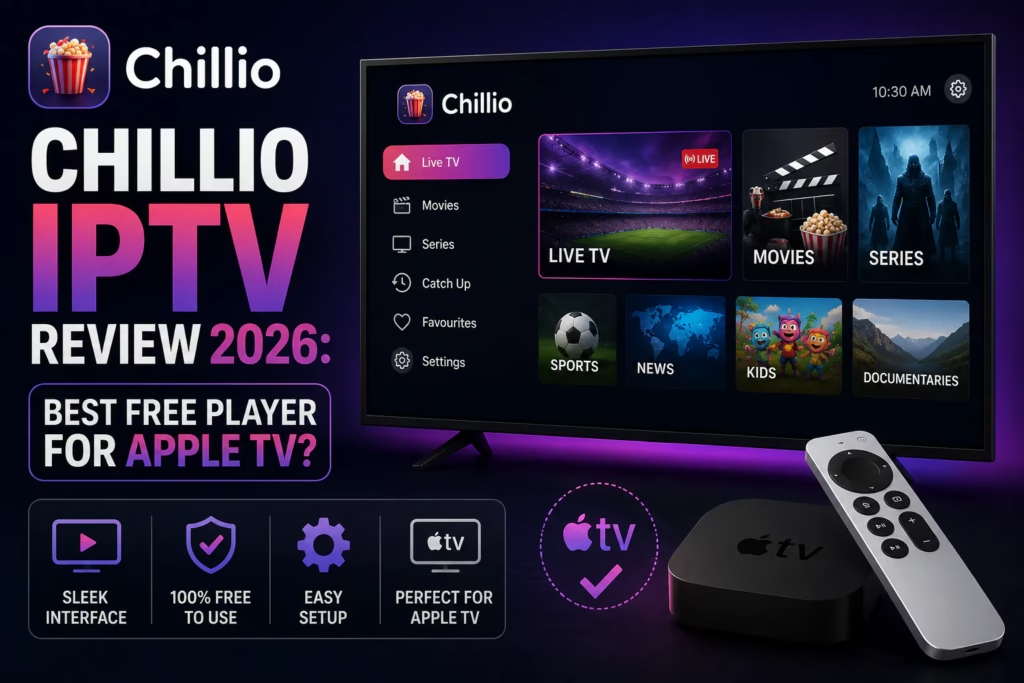
Chillio has been gaining significant traction in 2026 as a polished, free IPTV player developed by Lumos Labs. It positions itself directly against IPTV Smarters Pro with a Netflix-style interface, cross-device sync without iCloud, no ads, and a feature set that includes TorBox and Real-Debrid integration alongside standard IPTV subscription support. The recent v6.0.0 update added Android TV support, making it genuinely cross-platform for the first time. This review covers what Chillio does, what makes it different from GSE Smart IPTV and IPTV Smarters Pro, and who it is the right choice for.
Important: Chillio is a player app only — it does not provide channels or content. You need an active IPTV subscription with M3U URL or Xtream Codes credentials to use it. If you do not have one yet, see our free trials page.
Table of Contents
- What Is Chillio?
- Key Features
- Platform Availability
- How to Set Up Chillio
- TorBox and Debrid Integration
- Chillio vs Alternatives
- Verdict
- FAQ
What Is Chillio?
Chillio is a freemium IPTV player developed by Lumos Labs LLC. It is available on Apple TV, iPhone, iPad, Mac, and Android TV via Google Play. The app delivers a Netflix-style interface for IPTV — browsing live channels, VOD, and series through a visually rich content discovery interface rather than a raw channel list.
It positions itself explicitly as an alternative to IPTV Smarters Pro — no ads, no watermarks, cross-device sync without requiring iCloud, and a more modern interface. The current version is v6.0.0 which added Android TV support alongside improvements to category loading speed, content filtering, and a new web player.
Chillio is free to use with a freemium model — a paid Gold tier unlocks additional features but the free version is functional without watermarks or forced interruptions.
Key Features
Netflix-Style Interface
Chillio’s most distinctive feature is its visual presentation. Rather than a traditional channel list with an EPG grid, Chillio presents content in a Netflix-style browsing layout — poster artwork, backdrop images, cast information, and content recommendations. For VOD-heavy subscribers this is a significantly more enjoyable browsing experience than most IPTV players.
Cross-Device Sync Without iCloud
Playlists, favourites, watch history, and settings sync across all devices using Chillio’s own sync system — no iCloud required. This is a direct advantage over GSE Smart IPTV whose sync depends on iCloud. Start watching on your iPhone and pick up exactly where you left off on Apple TV or Android TV without any manual configuration.
TorBox and Debrid Integration
Chillio integrates directly with TorBox, Real-Debrid, WebDAV, FTP, and Put.io as unified media accounts alongside IPTV subscriptions. This means subscribers can manage their IPTV subscription and debrid service content from the same interface. Entering your TorBox API key gives Chillio access to your cached debrid content within the same app as your live TV channels.
Multiview Player
Multiple channels can be watched simultaneously in a multiview layout with audio switching between panels. Useful for sports viewers monitoring multiple events at once.
Offline Downloading
Content can be downloaded for offline viewing — useful for commuting or travel without a reliable internet connection. This is a rare feature for an IPTV player.
Full TV Guide with Live Preview
The EPG guide shows a live preview of what is playing on each channel before you switch to it. Supports Xtream Codes EPG data and XMLTV sources.
Customisable Profiles
Multiple user profiles with separate channel groups, favourites, and viewing preferences. Useful for households where different family members want different channel layouts.
No Ads, No Watermarks
The free version of Chillio has no advertising and no watermarks — a genuine differentiator from apps like IPTV Smarters Pro which show ads in the free tier.
4K and Lossless Audio
4K streaming is supported where your provider and device support it. Lossless audio support is included — relevant for subscribers watching music channels or content where audio quality matters.
Platform Availability
- Apple TV (tvOS) — App Store, direct install
- iPhone and iPad (iOS) — App Store, direct install
- Mac (macOS) — Mac App Store
- Android TV / Google TV — Google Play Store (added in v6.0.0)
Chillio is not currently available on Firestick natively. Android TV via Google Play covers devices like NVIDIA Shield, Chromecast with Google TV, and Android TV boxes. Firestick users should check whether the Android TV APK can be sideloaded — the v6.0.0 update brought Android TV support which may make this possible. For dedicated Firestick IPTV players see our Firestick guide.
How to Set Up Chillio
Apple TV, iPhone, and iPad:
- Open the App Store and search for Chillio
- Install and open the app — no account registration required
- Tap Add Source or the playlist add option
- Select Xtream Codes or M3U URL
- Enter your credentials from your provider welcome email
- Wait for the content library to load — Chillio organises your content into Live, Movies, and Series automatically
- Sign into a Chillio account to enable cross-device sync — optional but recommended for multi-device households
Android TV:
- Open Google Play Store on your Android TV device
- Search for Chillio and install
- Follow the same setup steps as Apple TV above
- Sign into the same Chillio account to sync with your Apple devices
TorBox and Debrid Integration
Chillio’s debrid integration is one of its most distinctive features among IPTV players. In the app’s account settings you can add TorBox, Real-Debrid, AllDebrid, or Premiumize alongside your IPTV subscription. Once added your debrid service’s cached content appears within Chillio’s interface alongside your live TV channels and IPTV VOD library.
This effectively makes Chillio a single interface for both live TV (via IPTV subscription) and on-demand content (via debrid service) — similar in concept to what Stremio does but within a dedicated IPTV player rather than a separate app.
See our TorBox plans guide and our debrid service explainer for more context on how debrid services work.
Chillio vs Alternatives
| Chillio | GSE Smart IPTV | IPTV Smarters Pro | TiviMate | |
|---|---|---|---|---|
| Apple TV | Yes | Yes | Limited | Yes |
| iPhone / iPad | Yes | Yes | Yes | No |
| Android TV | Yes — v6.0.0 | Android only | Yes | Yes |
| Firestick | Not natively | No | Yes | Yes |
| Interface style | Netflix-style | Traditional | Traditional | TV guide grid |
| Cross-device sync | Yes — no iCloud needed | iCloud only | No | No |
| Debrid integration | TorBox, RD, AllDebrid | No | No | No |
| Ads in free version | None | Some | Yes | None |
| Cost | Free / Gold tier | Free / ~£4.99 | Free | Free / ~$5-12/yr |
| Best for | Apple ecosystem, debrid users, VOD-first viewers | iPhone/iPad, EPG matching | Multi-platform, Firestick | Firestick, best EPG, live TV |
Verdict
Chillio is one of the most genuinely innovative IPTV players to emerge in 2026. The Netflix-style interface, cross-device sync without iCloud dependency, no-ads free tier, and TorBox/debrid integration are all meaningful differentiators. For Apple ecosystem users who use both an IPTV subscription and a debrid service, having both in a single interface is a compelling proposition no competing player offers.
The main limitation is Firestick support — currently absent natively. For the large majority of IPTV subscribers who use Firestick as their primary device, TiviMate remains the stronger daily-use option. For Apple TV and iPhone/iPad users Chillio is now a serious alternative to GSE Smart IPTV with better cross-device sync and the unique debrid integration.
Apple TV and iPhone/iPad users who want cross-device sync without iCloud. Subscribers who use TorBox or Real-Debrid alongside an IPTV subscription and want both in one interface. VOD-heavy viewers who prefer a Netflix-style browsing experience over a traditional channel list.
Firestick primary users — TiviMate is the better choice. Subscribers who rely heavily on a traditional EPG grid view for live TV navigation. Anyone who needs recording capability on Apple TV — Flex IPTV Pro is the only reviewed option with this.
FAQ
Is Chillio free?
Yes — Chillio is free with no ads and no watermarks. A paid Gold tier is available that unlocks additional features. Check the current pricing in the App Store as this varies by region.
Does Chillio work on Firestick?
Not natively. Chillio supports Android TV via Google Play as of v6.0.0 but is not available in the Amazon App Store. Check whether the Android TV APK can be sideloaded on Firestick. For a confirmed Firestick IPTV player see our Firestick guide.
Does Chillio work on Apple TV?
Yes — available directly from the tvOS App Store. Setup is identical to iPhone and iPad with cross-device sync via Chillio’s own sync system rather than iCloud.
How does Chillio compare to GSE Smart IPTV?
Chillio has better cross-device sync (no iCloud required), a more modern Netflix-style interface, TorBox and debrid integration, and no ads in the free version. GSE Smart IPTV has better automatic EPG matching and a longer track record. Both are strong Apple TV and iOS options — the right choice depends on whether you prioritise interface design and debrid integration (Chillio) or EPG quality and proven stability (GSE). See our GSE Smart IPTV review for comparison.
Can I use TorBox with Chillio?
Yes — TorBox can be added as a unified media account in Chillio’s settings alongside your IPTV subscription. Enter your TorBox API key to access cached debrid content within Chillio. See our TorBox plans guide for information on which TorBox plan suits your usage.
Find a Provider Compare All IPTV Apps
Last updated June 2026. Chillio v6.0.0. App Store pricing varies by region.