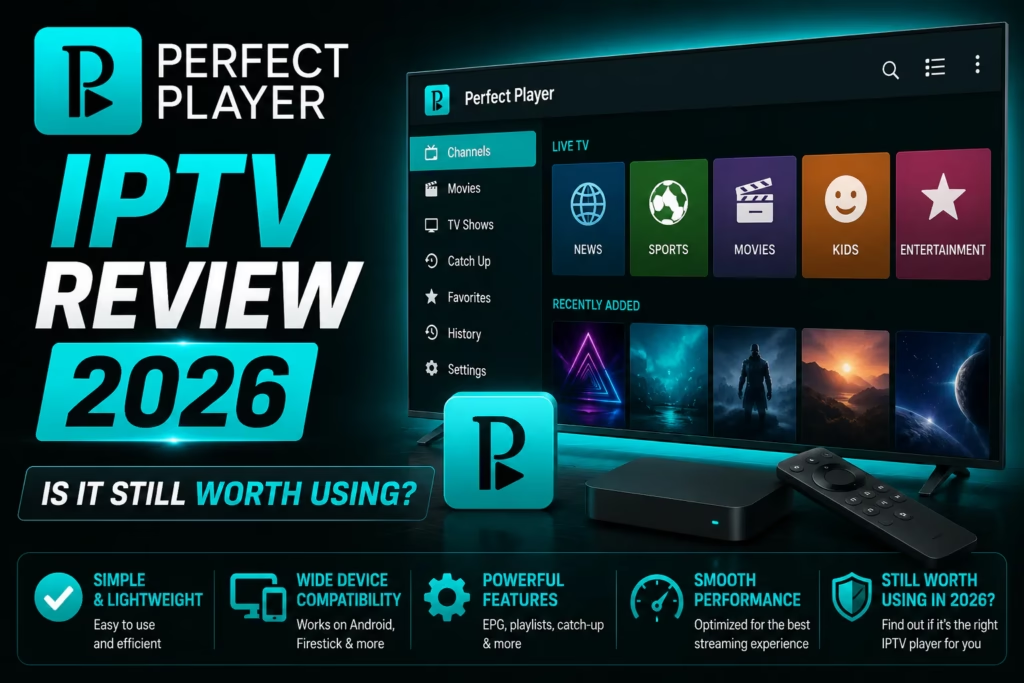
Perfect Player is a free, lightweight IPTV player that has been around since the early days of Android IPTV. It was one of the first players to offer a proper EPG grid view and built a loyal following for its simplicity and low resource usage. This review covers what it does well in 2026, where it falls short compared to newer alternatives, and who it is still the right choice for.
Important: Perfect Player is a player app only. It does not provide channels or content. You need an active IPTV subscription with M3U or Xtream Codes credentials to use it. If you do not have one yet, see our free trials page.
Table of Contents
- What Is Perfect Player?
- Key Features
- How to Set Up Perfect Player
- Honest Assessment
- Perfect Player vs Alternatives
- Verdict: Who Should Use It?
- FAQ
What Is Perfect Player?
Perfect Player is a free IPTV player developed by Niklabs. It runs on Android phones, tablets, Android TV boxes, and Windows PCs. It supports M3U playlists and has a built-in EPG grid view that was considered the standard for IPTV players when it launched. It is not available on iOS, Fire TV, or smart TV platforms natively.
The app has not been actively developed for several years. The core functionality works reliably but the interface has not kept pace with newer players and several features that are standard in TiviMate and IPTV Smarters Pro are absent or require workarounds in Perfect Player.
Key Features
EPG Grid View
Perfect Player’s EPG grid was one of the first proper TV guide implementations in an Android IPTV player. The grid layout shows multiple channels with current and upcoming programmes simultaneously. It is functional but less polished than TiviMate’s EPG – navigation is slower and the visual design looks dated by 2026 standards.
Playlist Support
M3U and M3U8 playlists are supported via URL or local file. Xtream Codes API login is supported. JSON format is also accepted. For most IPTV subscribers either M3U or Xtream Codes covers their provider’s credentials without any issues.
Customisation
Perfect Player has more interface customisation options than most free players – column count in the channel list, font sizes, background colours, and layout adjustments are all configurable. This was a significant advantage when it launched and remains a genuine differentiator for subscribers who want to tweak the interface.
External Player Support
Streams can be handed off to an external player like MX Player or VLC if the built-in player does not handle a specific stream format. Useful for compatibility with streams that use codecs the internal player does not support well.
Parental Controls
PIN-based channel locking is available. Individual channels or groups can be protected. Less flexible than TiviMate premium’s parental controls but functional for basic household use.
No Recording
Perfect Player does not support recording live TV. If recording is important to your setup, TiviMate premium is the only reviewed player that includes this feature.
How to Set Up Perfect Player
Perfect Player is available on the Google Play Store for Android devices and as a direct APK download for Android TV boxes. It is not available in the Amazon App Store and requires sideloading on Firestick – which makes it a less practical choice on that platform compared to TiviMate or IPTV Smarters Pro which are available via Downloader codes or the Amazon App Store directly.
Android setup:
- Search for Perfect Player IPTV in the Google Play Store and install it
- Open the app and tap the Settings icon (top right)
- Select General and then Playlist
- Enter your M3U URL or Xtream Codes details in the playlist field
- Go back to General and select EPG to enter your XMLTV EPG URL if your provider supplies one
- Return to the main screen and tap the refresh icon to load your channels
Windows setup:
- Download Perfect Player for Windows from niklabs.com or search for “Perfect Player Windows” to find the current download
- Install and open the application
- Go to Settings > General > Playlist and enter your M3U URL
- Add your EPG URL under Settings > General > EPG if available
- Click the refresh button to load channels
Honest Assessment
- Completely free with no paid tier or upsell
- Low resource usage — runs well on older or low-spec devices
- More interface customisation than most free players
- Reliable and stable — long track record
- External player support for awkward stream formats
- Works on Windows — more options than IPTV Smarters desktop
- No active development — features have not kept pace with competitors
- No recording capability
- Not available on Firestick or Fire TV natively
- No iOS support
- EPG less polished than TiviMate
- No multi-user profiles
- Interface looks dated compared to newer players
Perfect Player vs Alternatives
| Perfect Player | TiviMate | IPTV Smarters Pro | IPTV Player Zero | |
|---|---|---|---|---|
| Cost | Free | Free / ~$5-12/yr premium | Free | Free trial / $12.99 lifetime |
| Platforms | Android, Windows | Android TV, Firestick, Apple TV | Android, iOS, Firestick, Windows, Mac, Smart TVs | Windows, Mac |
| EPG quality | Basic grid | Best in class | Basic | Good |
| Recording | No | Yes (premium) | No | Yes (Pro) |
| Firestick support | Sideload only | Yes — via Downloader | Yes — Amazon App Store | No |
| Active development | No | Yes | Yes | Yes |
| Best for | Low-spec Android, Windows, customisation | Firestick, Android TV daily use | Multi-platform, iOS | Windows and Mac dedicated |
Verdict: Who Should Use It?
Perfect Player remains a solid choice in two specific situations. First, older or low-spec Android devices where newer players like TiviMate run sluggishly – Perfect Player’s lower resource usage gives it an advantage on hardware that struggles with more demanding apps. Second, Windows users who want a free option – on Windows the choice is between Perfect Player, IPTV Smarters Pro desktop, and VLC. Perfect Player’s EPG implementation is better than VLC’s and it is more stable than the IPTV Smarters Pro desktop version for some users.
For most subscribers on modern hardware, TiviMate (Firestick and Android TV) or IPTV Smarters Pro (multi-platform including iOS) are better choices. Both are actively developed, have more features, and better interfaces. Perfect Player’s main advantages – it is free and lightweight – are shared by IPTV Smarters Pro which also has broader platform support and active development.
Low-spec Android devices where newer players perform poorly. Windows users who want a free player with a proper EPG grid. Subscribers who want maximum interface customisation without paying.
Firestick users — IPTV Smarters Pro or TiviMate are more practical. iOS users — Perfect Player does not run on iPhone or iPad. Anyone who wants recording, multi-user profiles, or active long-term support.
FAQ
Is Perfect Player free?
Yes – completely free with no paid tier, no subscription, and no in-app purchases. All features are included in the free version.
Does Perfect Player work on Firestick?
Not natively. Perfect Player is not in the Amazon App Store and requires sideloading via Downloader. Given that IPTV Smarters Pro is available directly in the Amazon App Store and TiviMate installs easily via Downloader code 540646, Perfect Player is not the most practical choice for Firestick.
Does Perfect Player work on Windows?
Yes – a Windows version is available. It is one of the few IPTV players with a dedicated Windows build alongside IPTV Smarters Pro and IPTV Player Zero.
Is Perfect Player still being updated?
Perfect Player has not received significant updates in several years. The app is stable and works reliably but does not have the active development roadmap of TiviMate or IPTV Smarters Pro.
Perfect Player vs TiviMate — which is better?
TiviMate is better for Firestick and Android TV use – the EPG, interface, and active development make it the stronger choice for regular viewers. Perfect Player has an advantage on low-spec devices and as a free Windows option. See our full TiviMate review for a detailed breakdown.
Perfect Player vs IPTV Smarters Pro — which is better?
IPTV Smarters Pro is actively developed, runs on more platforms including iOS and Fire TV, and has comparable features to Perfect Player while also being free. For most subscribers IPTV Smarters Pro is the better free alternative. Perfect Player’s advantage is lower resource usage on older Android hardware. See our IPTV Smarters Pro review for full details.
Compare All IPTV Apps Find a Provider
Last updated May 2026. Perfect Player version and availability subject to change. Check Google Play Store or niklabs.com for the current version.