
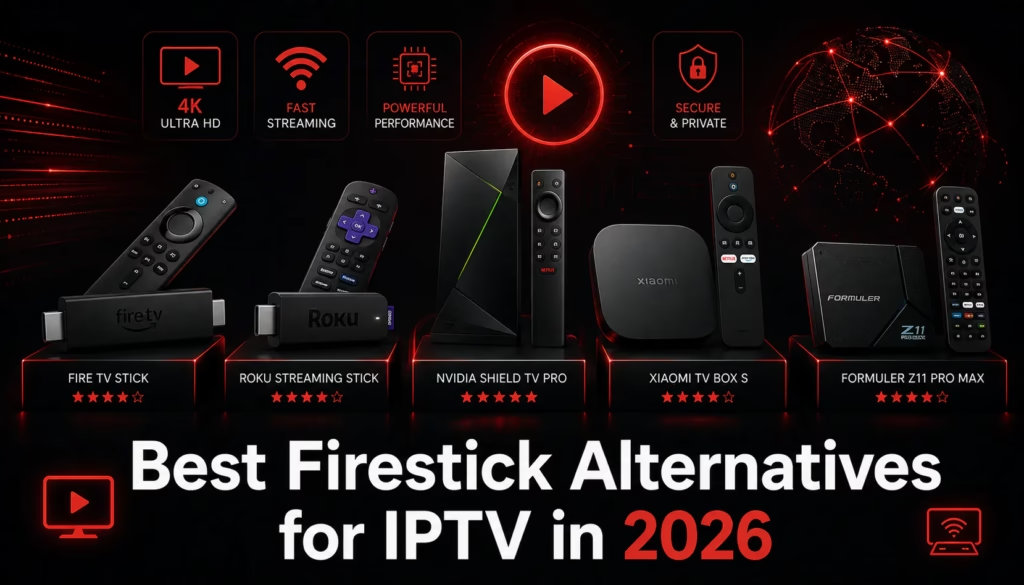
Amazon’s new Firesticks running Vega OS block sideloading entirely — no TiviMate, no XCIPTV, no Downloader. If you have bought a new Firestick and hit this wall, or if you are looking to buy a streaming device specifically for IPTV and want to avoid the Vega OS limitation, this guide covers the best alternatives available in 2026 at every price point.
Existing Firestick users: If your current Firestick runs Fire OS 7 or 8 it still supports sideloading and everything in this guide about TiviMate and XCIPTV still applies. Check Settings > My Fire TV > About to confirm your OS version. See our full post on Vega OS for more detail.
What to Look for in a Firestick Alternative
For IPTV use the key requirements are straightforward:
- Android TV or Google TV — supports sideloading via Downloader, Google Play Store access, full TiviMate compatibility
- At least 2GB RAM — less than this causes sluggishness with large IPTV playlists
- Sufficient storage — TiviMate and XCIPTV need storage for EPG data and recordings
- Ethernet option — wired connection is significantly more stable for live TV than Wi-Fi
- 4K support — if your TV and provider support 4K this is worth having
The Best Firestick Alternatives in 2026
1. Onn 4K Pro Streaming Box — Best Value Overall
The Onn 4K Pro is a Google TV box available from Walmart at around $50. It runs standard Google TV, supports full sideloading via Downloader, has a USB port for wired ethernet via an adapter, and includes a remote with Google Assistant. TiviMate, XCIPTV, and every other IPTV player install without any issues.
At $50 it costs the same as a Fire TV Stick 4K Max but delivers a more open experience with the Google Play Store alongside sideloading. The primary disadvantage compared to more expensive Android TV boxes is the 2GB RAM — adequate for IPTV but noticeably slower than a 4GB device with very large playlists.
Best for: Users wanting the most affordable full sideloading option. Direct Firestick replacement at the same price point.
2. Chromecast with Google TV (4K) — Best for Portability
Chromecast with Google TV is a compact dongle running Google TV that supports sideloading via Downloader. TiviMate and XCIPTV both install and run well. The compact form factor makes it ideal for travel. At around $30-40 it is cheaper than the Onn 4K Pro.
The limitation is no ethernet port — Wi-Fi only. For reliable live sport viewing a wired connection is preferable which the Chromecast cannot provide natively (a USB-C to ethernet adapter is available but adds cost and a cable).
Best for: Users who travel frequently and want a portable IPTV solution, or those for whom Wi-Fi stability is not a concern.
3. NVIDIA Shield TV Pro — Best Performance
The NVIDIA Shield TV Pro is the most capable Android TV streaming device available. 3GB RAM, 16GB storage, Gigabit ethernet built in, 4K HDR support, and a processor significantly faster than any Firestick equivalent. TiviMate runs exceptionally smoothly with even the largest playlists. Full sideloading support.
At around $199 it is significantly more expensive than the alternatives. Worth it for users who also use their streaming device for Plex, gaming via GeForce NOW, or intensive Stremio use with AIOStreams and large debrid libraries. Overkill for basic IPTV use.
Best for: Power users who want the best possible Android TV performance and plan to use the device for multiple purposes beyond IPTV.
4. Xiaomi Mi Box S (2nd Gen) — Best Budget Android TV
The Xiaomi Mi Box S runs certified Android TV rather than Google TV — a slightly different flavour that still supports sideloading and the Google Play Store. At around $40-50 it is competitive with the Onn 4K Pro and offers 2GB RAM and 8GB storage. No ethernet port built in but a USB-A to ethernet adapter works.
Best for: Budget IPTV setup where the Onn 4K Pro is not available in your region.
5. Fire TV Stick 4K Max (2023) — Best Remaining Fire OS Option
If you specifically want a Firestick rather than an Android TV box, the Fire TV Stick 4K Max is the last high-end Fire OS model that fully supports sideloading. It runs Fire OS 8 (Android-based) and works with Downloader, TiviMate, and XCIPTV exactly as described in our Firestick setup guide.
Amazon has confirmed it will support existing Fire OS devices through at least 2030. Stock is still available new but supply will diminish as Amazon focuses on Vega OS models. If buying a Firestick specifically for sideloading this is the model to get — but an Android TV box is a more future-proof investment.
Best for: Users who specifically want a Fire TV Stick interface and are comfortable that future models will not support sideloading.
Comparison Table
| Device | Price | OS | Sideloading | Ethernet | Best for |
|---|---|---|---|---|---|
| Onn 4K Pro | ~$50 | Google TV | Yes | Via adapter | Best value overall |
| Chromecast with Google TV | ~$30-40 | Google TV | Yes | Via adapter only | Budget, portable |
| NVIDIA Shield TV Pro | ~$199 | Android TV | Yes | Built in | Best performance |
| Xiaomi Mi Box S | ~$40-50 | Android TV | Yes | Via adapter | Budget Android TV |
| Fire TV Stick 4K Max | ~$50 | Fire OS 8 | Yes | No | Last sideload-capable Firestick |
| Fire TV Stick HD (2026) | $34.99 | Vega OS | Blocked | No | Not recommended for IPTV sideloading |
Setting Up IPTV on Your New Device
Once you have a Google TV or Android TV device setup for IPTV follows the same process as Firestick:
- Install Downloader from the Google Play Store
- Enable Unknown Sources for Downloader in Settings > Security
- Open Downloader and enter code 540646 for TiviMate or 730116 for XCIPTV
- Install your chosen player and enter your IPTV subscription credentials
For a full step-by-step guide see our IPTV setup guide — the process is identical on Android TV and Google TV devices despite the guide title. If you do not yet have an IPTV subscription see our free trials page for providers offering a no-card trial.
Find a Provider Vega OS: What It Means for Your Firestick
Last updated June 2026. Device pricing and availability subject to change. Amazon Fire OS device availability will diminish as Vega OS becomes the standard for new models.