
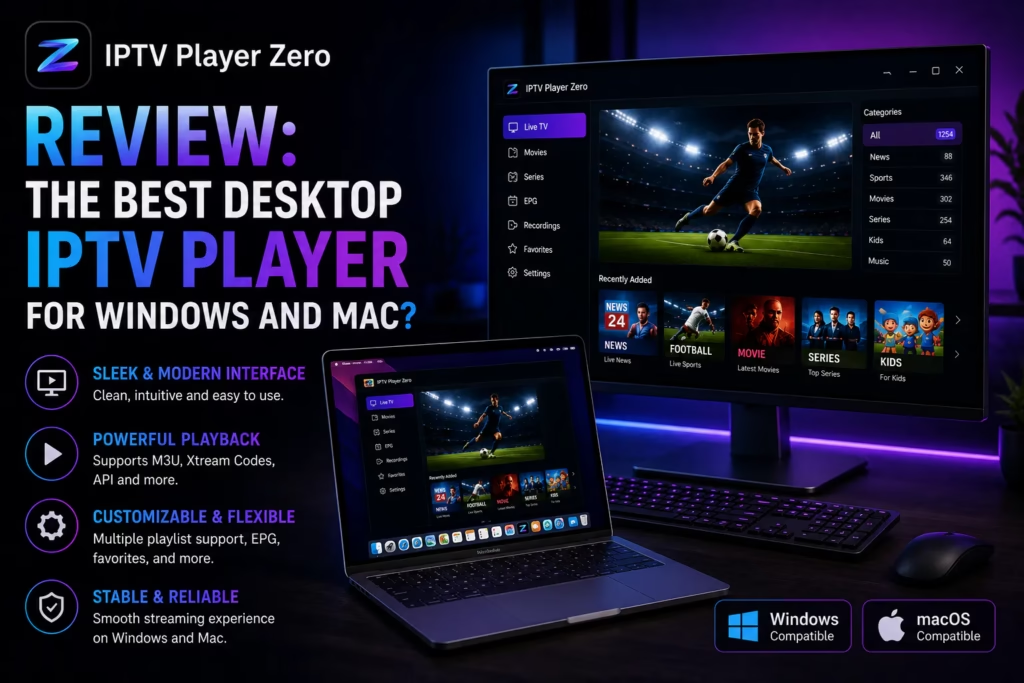
Most IPTV player apps are built for Firestick or Android TV boxes. If you watch IPTV on a Windows PC or Mac, the options have historically been limited — VLC works but is not designed for IPTV, Kodi requires significant setup, and most dedicated IPTV apps simply do not exist on desktop. IPTV Player Zero is trying to fill that gap. It is a purpose-built desktop player for Windows and macOS with a free download, a 72-hour full-feature trial, and a one-time $12.99 lifetime unlock. Here is how it holds up.
Table of Contents
- What Is IPTV Player Zero?
- Features
- How to Get Started
- Pricing
- vs TiviMate and IPTV Smarters Pro
- Verdict
- FAQ
Important: IPTV Player Zero is a player app only. It does not provide channels, playlists, or subscriptions. You need an existing IPTV subscription with M3U, Xtream Codes, or Stalker/MAC Portal credentials to use it. If you do not yet have a subscription, see our reviewed provider list first.
What Is IPTV Player Zero?
IPTV Player Zero is a dedicated desktop IPTV player available for Windows and macOS. It supports M3U/M3U8 playlists, Xtream Codes, and Stalker/MAC Portal sources. The free download includes a 72-hour full PRO trial starting from the moment you add your first playlist. After the trial, the app continues to work in a limited free mode or you can unlock the full feature set permanently with a one-time $12.99 payment – no recurring subscription.
It is available as a direct download from the developer’s website, via the Microsoft Store on Windows, and via the Mac App Store on macOS. The current version is v1.7.84.
Features
Live TV with Channel Categories and Favourites
The live TV view displays your channel list with category filtering, a favourites section, and recently viewed channels. Channel switching is described as fast – one of the most common complaints about desktop IPTV players is slow channel load time, and the app is specifically designed around this.
EPG Guide Grid
A full electronic programme guide is included with timeline browsing, a clear now-playing marker, and quick time navigation. PRO users get the full EPG horizon and richer guide browsing. Reminders and notifications can be set for upcoming programmes. This is a meaningful step up from basic IPTV players that either have no EPG or display it poorly on desktop screens.
Recording
Recording is included in the PRO feature set. The ability to record live TV from a desktop player is less common than it sounds – most mobile IPTV apps do not support recording. For PC users who want to record a match or programme while away from the screen, this is a practical addition.
VOD – Movies and Series
The movies library uses a poster-led browsing interface designed for quick scanning. Series navigation includes episode-by-episode browsing with auto-next and continue watching progress memory. Unlimited movies and series playback is included in PRO. VOD workflows are one of the areas where a full desktop interface has a genuine advantage over phone or tablet playback.
Downloads
PRO users can download content for offline playback. Useful for watching content while travelling without relying on a stream.
Multiple Playlist Support
PRO unlocks unlimited playlists, folders, and favourites. For subscribers who use more than one IPTV service – a primary and a backup subscription for example – being able to manage multiple playlists in one app with fast switching between them is genuinely useful.
Backup and Transfer
Backup transfer and restore is included in PRO. Useful when moving to a new machine or reinstalling Windows – your playlists, favourites, and settings can be transferred without reconfiguring from scratch.
How to Get Started
- Download the app from iptvplayerzero.com, the Microsoft Store, or Mac App Store depending on your platform. The direct download is 152.9 MB on Windows, ~206 MB on Mac.
- Install and open the app. The built-in updater will keep it current after the initial install.
- Add your playlist. Choose M3U/M3U8 (paste a URL or load a local file), Xtream Codes (server URL, username, password), or Stalker/MAC Portal. Your IPTV provider will have sent these credentials by email when you subscribed.
- The 72-hour PRO trial starts automatically after your first playlist import. All features are unlocked from this point.
- Explore and test. Use the trial period to verify your channels load correctly, test the EPG guide, and try VOD playback. See our trial testing guide for what to check.
- Unlock PRO or continue free. After 72 hours, pay $12.99 inside the app for lifetime access or continue with the free tier’s limited feature set.
Pricing
| Tier | Cost | What You Get |
|---|---|---|
| Free | $0 | Basic playback. Limited playlists. Reduced EPG and VOD features after 72-hour trial expires. |
| 72-Hour PRO Trial | $0 | Full PRO access on your device. Starts automatically on first playlist import. No card required. |
| Lifetime PRO | $12.99 one-time | Unlimited playlists, full EPG, reminders, recording, downloads, unlimited VOD, backup transfer. No subscription, no renewal. |
The $12.99 lifetime price is the standout. At that price it is cheaper than a single month of TiviMate’s annual subscription and significantly cheaper than most comparable desktop media players. The no-subscription model means once you pay, it is yours permanently on that device with all future updates included via the built-in updater.
IPTV Player Zero vs TiviMate vs IPTV Smarters Pro
| IPTV Player Zero | TiviMate | IPTV Smarters Pro | |
|---|---|---|---|
| Platform | Windows, macOS | Android TV / Firestick only | Android, iOS, Windows, Mac |
| Cost | $12.99 one-time | ~$5/year subscription | Free |
| Free trial | 72 hours full PRO | Limited free tier | Free with no trial needed |
| Recording | Yes (PRO) | Yes (Premium) | No |
| EPG guide | Yes – full grid view | Yes – considered best in class | Yes – basic |
| Desktop optimised | Yes – built for desktop | No – TV/remote optimised | Partial |
| Multiple playlists | Yes (PRO) | Yes (Premium) | Yes |
The key difference is platform. TiviMate is widely considered the best IPTV player available but it only runs on Android TV and Firestick – it does not exist on Windows or Mac. If your primary IPTV viewing device is a PC or MacBook, TiviMate is not an option and IPTV Player Zero fills that gap directly.
IPTV Smarters Pro is free and runs on Windows and Mac, making it the most direct alternative. The trade-off is a less polished desktop interface and no recording capability. For users who want a more purposefully designed desktop experience with recording support, IPTV Player Zero at $12.99 lifetime is worth considering over the free alternative.
Verdict
IPTV Player Zero addresses a genuine gap in the market. Desktop IPTV players that are actually designed for desktop use rather than ported from mobile have been scarce. The 72-hour full-feature trial with no card required is generous enough to properly evaluate whether it suits your setup. The $12.99 lifetime price is lower than most people would expect to pay for a quality desktop media application and removes any ongoing cost concern.
The caveat worth stating clearly: this is a player app, not a subscription service. It does nothing without an existing IPTV subscription and credentials. If you are starting from scratch, get an IPTV subscription set up and tested first, then consider which player app works best for your devices.
Windows and Mac users who want a purpose-built desktop IPTV player with a proper EPG grid, recording capability, and polished VOD interface. The $12.99 lifetime price makes it an easy decision if the 72-hour trial confirms it works with your subscription and device.
Firestick, Android TV box, or Smart TV users — TiviMate or IPTV Smarters Pro are better fits on those platforms. Also not relevant if you do not already have an IPTV subscription with credentials.
Download IPTV Player Zero Free
Frequently Asked Questions
Does IPTV Player Zero include channels?
No. It is a player app only and does not provide channels or playlists. You need an existing IPTV subscription with M3U, Xtream Codes, or Stalker/MAC Portal credentials.
What formats does it support?
M3U/M3U8 (local file or URL), Xtream Codes, and Stalker/MAC Portal.
How long is the free trial?
72 hours of full PRO access starting from when you add your first playlist. No card required.
Is the $12.99 a subscription?
No. It is a one-time lifetime purchase with no renewal charge. Updates are included via the built-in updater.
Does it work on Mac Apple Silicon?
Yes. Separate direct downloads are available for Intel Mac and Apple Silicon Mac (M1/M2/M3). Both are at version 1.7.84.
Can I use it with TiviMate on the same subscription?
Yes. Your IPTV subscription credentials work across multiple player apps simultaneously as long as your subscription allows the connection count. IPTV Player Zero on your laptop and TiviMate on your Firestick can both use the same credentials if you have a multi-connection plan.
Where do I buy Lifetime PRO?
Inside the app directly. Download the app, add your playlist, use the 72-hour trial, then purchase from within the app settings if you want to keep it.
Information verified May 2026 from iptvplayerzero.com. IPTV Player Zero version 1.7.84 at time of review.