
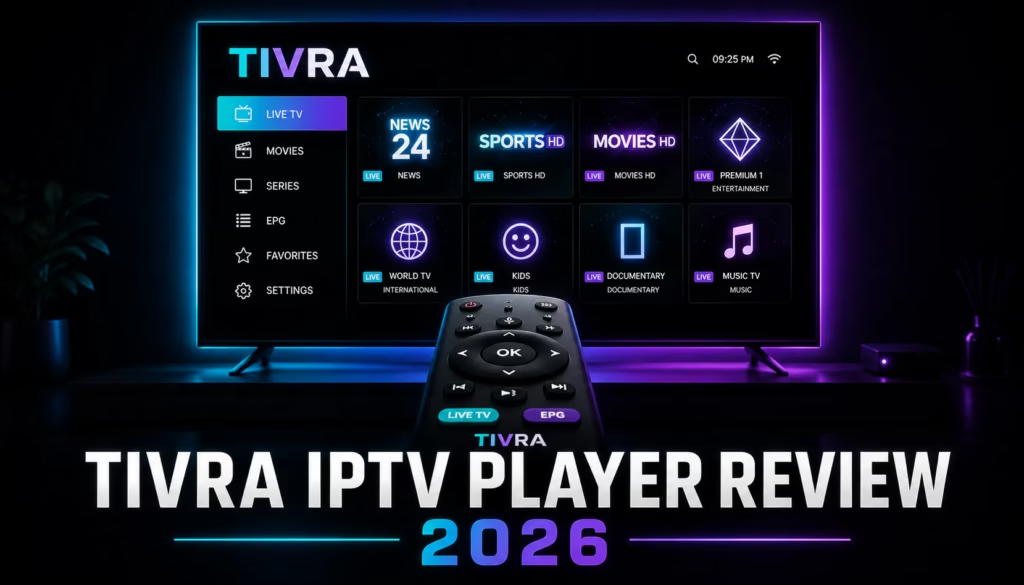
Tivra IPTV Player is a new Android TV and Fire TV app that moved into public availability in early 2026 and has attracted growing attention since releasing v2.0 in June 2026. If you have been looking for a modern IPTV player with a clean interface, a web-based setup dashboard, and built-in DVR recording, Tivra arrives as one of the more complete newcomers in a space long dominated by TiviMate and XCIPTV. This review covers everything you need to know before deciding whether to try it.
Quick facts: Tivra v2.0.4 — released June 2, 2026. Android TV and Fire TV only (iOS / Apple TV in development). Downloader code: 3059562. 7-day free trial, no card required. Pricing from $9.99/year.
Contents
What is Tivra IPTV Player?
Tivra is a pure media player application for Android TV devices, including Amazon Fire TV sticks and boxes running Fire OS. Like TiviMate, XCIPTV, and IPTV Smarters Pro, Tivra supplies no content of its own. You connect it to an existing IPTV subscription using an M3U URL or Xtream Codes credentials, and Tivra handles the playback interface, channel organisation, and EPG programme guide.
What separates Tivra from every other player currently on the market is its web dashboard. Rather than entering a long M3U URL by pecking at a TV remote, you log into your Tivra account from any browser or phone, add your provider details there, and the settings sync to your TV automatically. It is a small thing on paper, but anyone who has manually typed a 90-character M3U URL with a D-pad will understand the appeal immediately.
The project is in active, fast-moving development. The version reviewed here is v2.0.4, released June 2, 2026. There are rough edges and gaps in the feature list that more mature players have long since filled, and that is worth factoring into any buying decision. If you want a completely stable, long-proven player today, TiviMate or XCIPTV remain the safer bets. If you are open to a well-designed newcomer with genuine potential, Tivra is worth the free trial.
How to Install Tivra (Downloader Code)
Tivra is not yet available in the Amazon App Store or Google Play, which means it must be sideloaded using the Downloader app. The process takes under two minutes on any compatible device.
Vega OS users: The new Fire TV Stick HD (2026) and Fire TV Stick 4K Select (2025) run Vega OS, which permanently blocks sideloading. Tivra cannot be installed on these devices. To check, go to Settings > My Fire TV > About. Fire OS 7/8 means sideloading works; Vega OS means it is blocked. The Fire TV Stick 4K Max and 4K Plus still run Fire OS and support sideloading normally. See the full Vega OS sideloading guide for more detail.
- Open the Downloader app on your Fire TV or Android TV device. It is free from the Amazon App Store if you do not already have it.
- Select the numeric code entry field and enter 3059562.
- Downloader fetches the latest Tivra APK from the official site. Tap Install when prompted.
- Once installed, open Tivra and create a free account at tivratv.com. An account is required to use the app.
- Log into your account from any browser, navigate to the dashboard, and add your IPTV provider via M3U URL or Xtream Codes credentials.
- Return to the Tivra app on your TV and sync. Your channels, categories, and settings load automatically.
Older devices: Tivra requires Android 7.0 or above. If the main APK will not install on a device running Android 5 or 6, the official Tivra site offers a v1.0.28 fallback build for those platforms. The Downloader code above always fetches the current main release.
Features: What You Actually Get
Live TV and Channel Management
Tivra loads your provider’s full channel list with category filtering and a favourites system. You can reorder, show, or hide both categories and individual channels from the web dashboard, which is considerably faster than navigating settings menus with a TV remote. Changes sync to the device without restarting the app.
EPG Programme Guide
The built-in EPG shows 24-hour listings per channel. It works with both M3U connections (using the XMLTV URL your provider supplies) and Xtream Codes, where the guide loads automatically. The EPG is fully D-pad navigable and displays now-and-next information inline in the channel list, which is the behaviour most people rely on day to day.
DVR and Scheduled Recordings
Long-pressing any future programme in the EPG queues a scheduled recording. Recordings can be saved to internal device storage, a USB drive, or a network share over SMB, which means you can record directly to a NAS if you have one on your home network. Scheduled recordings survive app restarts and device reboots, and the recordings library is organised into separate tabs for scheduled, currently recording, and completed files.
TiviMate requires a Premium subscription (~$30/year) to unlock DVR recording. XCIPTV includes DVR for free. Tivra includes DVR on every paid plan from $9.99/year, which is a clear cost advantage over TiviMate for anyone who records regularly.
VOD and Series Browser
If your provider includes video on demand, Tivra presents movies and TV series in a cinema-style interface with full-bleed backdrop artwork, cover art tile grids, and a Continue Watching row on the home screen. The VOD player overlay includes subtitle and audio track selection, smooth scrubbing, and a stream-info chip showing current stream quality. Playback position syncs across devices when you are logged into the same account.
Web Dashboard and Cloud Sync
The web dashboard at tivratv.com is Tivra’s most distinctive feature. Every setting you configure in a browser syncs to connected devices in real time. You can add providers, edit the channel list, organise favourites, and even send a specific stream directly to a registered TV from the dashboard. Multiple devices can be registered under one account, and the Family and Lifetime plans support up to five simultaneous screens.
Trakt.tv Integration
Tivra supports connecting a Trakt.tv account to synchronise your watch history and Continue Watching state across devices. Watch progress persists even through a reinstall or device switch as long as Trakt is connected. It is an unusual feature in an IPTV player and reflects a VOD-forward design philosophy that the other major players have not yet adopted.
Live TV Buffer Controls
Every live channel buffers automatically in the background. You can pause, rewind, and fast-forward within a configurable window of up to four hours using D-pad controls. The default buffer is 60 minutes. This is one of the more generous implementations available, broadly equivalent to what TiviMate offers with its Premium catch-up features.
Coming Soon
The official roadmap lists parental controls, a backup and restore system for settings, and a local media library for browsing files from USB, SMB shares, or a Jellyfin/Emby server alongside IPTV channels. None of these features are available in the current release. The parental controls gap is a real limitation for households with children; anyone who needs that feature today should look at TiviMate or IPTV Smarters Pro instead.
Known Limitations
- Android TV and Fire TV only. No iOS, Apple TV, Windows, or Smart TV app currently available.
- No parental controls in the current release.
- No multi-screen / picture-in-picture yet.
- Not yet in the Google Play Store (submitted, in review) or Amazon App Store. Sideload only for now.
- No backup and restore function yet. Reinstalling requires re-syncing from the dashboard rather than restoring a local file.
- Early-stage product. Occasional bugs and instability between updates are to be expected. The release cadence has been active throughout May and June 2026, which is a good indicator of developer commitment.
Pricing and Plans
Tivra is a paid app with a 7-day free trial on all plans, no payment details required at signup. Three tiers are available:
| Plan | Annual price | Monthly price | Devices | Notes |
|---|---|---|---|---|
| Personal | $9.99/yr | $2.49/mo | 1 | All features included |
| Family Popular | $19.99/yr | $4.99/mo | Up to 5 | Priority support |
| Lifetime Best Value | $29.99 one-time | — | Up to 5 | All future updates included |
The Lifetime plan is the standout value here. At $29.99 one-time across five devices, you pay less than a single year of TiviMate Premium per device. The key risk is that this is an early-stage product, so the long-term value depends on the developer’s continued commitment. If Tivra continues at its current development pace, it is a very strong bet.
If you are still deciding on an IPTV provider to pair with Tivra, the IPTV free trials page lists every current no-card trial so you can test a service before committing to a subscription.
Tivra vs TiviMate vs XCIPTV
| Feature | Tivra v2.0 | TiviMate | XCIPTV |
|---|---|---|---|
| Price | $9.99/yr or $29.99 lifetime | Free / ~$30/yr Premium | Completely free |
| DVR / Recording | YES — all paid plans | Premium only | YES — free |
| Web dashboard setup | YES — unique feature | NO | NO |
| Cloud sync | YES — all plans | Companion app, Premium only | NO |
| EPG support | YES | YES — best-in-class | YES |
| VOD & series browser | YES — cinematic UI | YES | YES |
| Multi-screen | Not yet | Premium only | YES — free |
| Parental controls | Coming soon | YES | YES |
| Live buffer window | Up to 4 hours | Configurable | Limited |
| Trakt.tv sync | YES | NO | NO |
| SMB / NAS recording | YES | YES | NO |
| iOS / Apple TV | Coming soon | YES | NO |
| App Store availability | In review — sideload now | Google Play | Removed — sideload only |
| Development stage | Early / active | Mature / stable | Mature / active |
The key distinction
TiviMate is the most polished and battle-tested of the three. Its EPG handling is the best available, its interface is familiar to the largest number of Android TV IPTV users, and it has been refined across five major versions since 2020. If reliability and a proven track record matter most, TiviMate at the Premium tier remains the benchmark. The full TiviMate review covers it in detail.
XCIPTV is the strongest free option. Full DVR, multi-screen, and complete feature access with no subscription is a hard proposition to argue against on price. The interface is less premium than either TiviMate or Tivra, but the stability is solid. See the XCIPTV review for specifics.
Tivra sits in an interesting position between the two. It costs less annually than TiviMate Premium, includes features no other player in the category currently offers (web dashboard, cloud sync without a companion app, Trakt integration, SMB recording), and has a VOD browsing experience that competes with dedicated media server frontends. Its main disadvantages are its early-stage status, the absence of multi-screen and parental controls, and the sideload-only install route for now.
Who Is Tivra Best For?
New IPTV users who want simple browser-based setup. Multi-device households who want cloud sync without a companion app. VOD-heavy viewers who want a cinema-style browsing experience with Trakt watch history.
Households that need parental controls today. Apple TV and iPhone users. Anyone who relies on multi-screen viewing. Users who need a fully stable, long-proven app without the risk of early-development bugs.
Tivra makes the most sense for three groups in particular. First, new IPTV users who want the easiest possible setup: entering provider credentials in a browser removes the biggest friction point for first-timers, and the 7-day free trial means there is nothing to lose by trying it. Second, multi-device households who value cloud sync: if you watch on multiple TVs or switch devices regularly, Tivra’s account-based sync means you never have to reconfigure a device from scratch. Third, VOD-heavy viewers: the movie and series interface is noticeably better designed for on-demand browsing than TiviMate or XCIPTV, and Trakt integration adds persistent watch history that no competing player offers.
For a full picture of where Tivra fits against every other current option, the best IPTV players guide ranks all major apps by device and use case.
Verdict
Tivra is the most interesting new IPTV player to arrive in some time. The web dashboard concept is the kind of obvious-in-retrospect idea that makes you wonder why it took this long for someone to build it. The pricing is aggressive, the feature set is broader than you would expect from a v2.0 release, and the active development cadence suggests the current gaps will close. It is not ready to replace TiviMate as the definitive option for Android TV IPTV, but it does not need to be. The 7-day free trial costs nothing to try, and for many users it will be the player they switch to and stay with.
The Lifetime plan at $29.99 is the headline recommendation if you decide to commit. Paying once for all future updates across five devices, at a price lower than one year of TiviMate Premium on a single device, is straightforwardly good value if you believe in the project’s trajectory. The key risk, as with any early-stage app, is developer longevity. Monitor the update cadence over the next three to six months before deciding. The 7-day free trial lets you form your own view first.
If you still need an IPTV provider to pair with Tivra, check the IPTV free trials page for current no-card trial options across the main services.
Try Krooz TV → Try Xtreme HD IPTV → Try RealmIPTV → All Free Trials →
FAQ
What is the Tivra IPTV Player Downloader code?
The Downloader code for Tivra is 3059562. Enter this in the Downloader app on your Fire TV or Android TV to fetch the latest version directly from the official Tivra site. As of June 2026 this installs v2.0.4. The Downloader app itself is free from the Amazon App Store.
Is Tivra IPTV Player free?
Tivra is a paid app but includes a 7-day free trial on all plans with no payment details required at signup. After the trial, the Personal plan costs $9.99 per year (one device), the Family plan $19.99 per year (up to five devices), and the Lifetime plan is a one-time $29.99 payment covering all future updates on up to five devices. There is no permanently free tier.
How does Tivra compare to TiviMate?
TiviMate is the more mature and proven player with the best EPG implementation and the largest established user base on Android TV. Tivra is newer and less battle-tested but offers features TiviMate does not have, including a web dashboard for provider setup, native cloud sync without a companion app, Trakt.tv integration, and a lower entry price. TiviMate requires a Premium subscription (~$30/year) to unlock DVR recording; Tivra includes DVR on its $9.99 Personal plan. For reliability and full platform coverage including Apple TV and iOS, TiviMate is still the safer choice. For value, modern interface design, and cloud-first setup, Tivra is the stronger option for Android TV users specifically.
Does Tivra work on Fire TV Stick?
Tivra works on Fire TV Stick devices running Fire OS, including the Fire TV Stick 4K Max and Fire TV Stick 4K Plus. It must be sideloaded using the Downloader app (code: 3059562) as it is not yet in the Amazon App Store. The Fire TV Stick HD (2026) and Fire TV Stick 4K Select (2025) run Vega OS, which permanently blocks sideloading, so Tivra cannot be installed on those models. Go to Settings > My Fire TV > About to check which OS your device is running. The full Vega OS guide explains this in more detail.
Does Tivra include TV channels or content?
No. Tivra is a media player application only, comparable to TiviMate, XCIPTV, or IPTV Smarters Pro. It contains no channels, live streams, or video on demand content. To use Tivra you need a separate IPTV provider subscription that supplies either an M3U playlist URL or Xtream Codes credentials. If you are still looking for a provider, the free trials page lists providers offering no-card trials to test before subscribing.
Is Tivra available on Apple TV or iPhone?
Not yet. Tivra is currently available for Android TV and Amazon Fire TV devices only. Apple TV and iOS support are on the official roadmap as coming soon but no release date has been confirmed. For Apple TV IPTV players available today, the Apple TV IPTV guide covers Chillio, GSE Smart IPTV, Flex IPTV, and IPTV Green Pro.
Last updated: June 5, 2026. App version reviewed: Tivra v2.0.4. Pricing and features are subject to change; verify current details at tivratv.com before purchasing.