
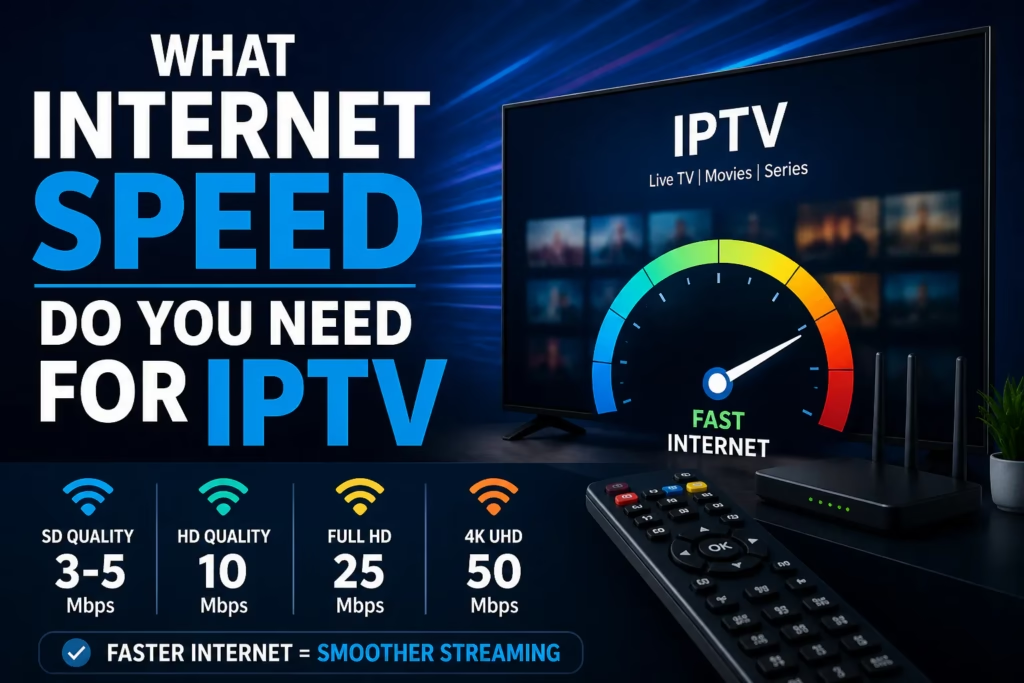
Internet speed is one of the most common questions from people setting up IPTV for the first time. The short answer is 15 Mbps for reliable HD and 50 Mbps for stable 4K. The longer answer depends on how many people are streaming simultaneously, what quality you are watching, and whether your connection delivers its rated speed in practice during peak hours. This guide covers all of it.
Table of Contents
- Minimum Speeds by Quality Level
- Multiple Simultaneous Streams
- How to Test Your Actual Speed
- Why Peak Hour Speed Matters More Than Your Plan Speed
- Wi-Fi vs Ethernet
- What to Do If Your Speed Is Not Fast Enough
- FAQ
Minimum Speeds by Quality Level
| Quality Level | Minimum Speed | Recommended Speed | Notes |
|---|---|---|---|
| SD (Standard Definition) | 3 Mbps | 5 Mbps | Most older channels and international content |
| HD (720p) | 5 Mbps | 10 Mbps | Standard for most live TV channels |
| Full HD (1080p) | 10 Mbps | 25 Mbps | Most common quality for IPTV in 2026 |
| 4K / UHD | 25 Mbps | 50 Mbps | Higher bitrate streams need more headroom |
| 4K HDR | 40 Mbps | 60 Mbps | Premium content with high dynamic range |
The recommended speeds include headroom for other background internet activity on the same connection – other devices browsing, software updates running, and so on. The minimum figures assume the connection is dedicated to that one stream with nothing else running.
Most UK and US broadband connections in 2026 comfortably exceed these requirements. The typical home broadband speed in the UK is around 80-100 Mbps and in the US around 200 Mbps. Speed is rarely the issue on modern broadband – the more common problems are peak hour throttling and Wi-Fi signal quality, both covered below.
Multiple Simultaneous Streams
If more than one person is streaming at the same time on the same connection, multiply the speed requirement by the number of simultaneous streams:
| Simultaneous Streams | HD (1080p) | 4K |
|---|---|---|
| 1 stream | 25 Mbps | 50 Mbps |
| 2 streams | 50 Mbps | 100 Mbps |
| 3 streams | 75 Mbps | 150 Mbps |
| 4 streams | 100 Mbps | 200 Mbps |
| 5 streams | 125 Mbps | 250 Mbps |
A household with 3 people streaming Full HD simultaneously needs around 75 Mbps. On a 100 Mbps broadband connection that leaves 25 Mbps for other activity on the network – comfortably adequate. On a 50 Mbps connection it becomes tight and quality may degrade during peak hours.
How to Test Your Actual Speed
The key is to test at the right time and in the right place. Most people test their speed on a laptop near the router at 2pm and get a number that does not reflect what their Firestick in the living room receives at 8pm.
For an accurate test:
- Test on the actual device you use for IPTV, not a different device
- Test at peak hours – 7pm to 10pm on a weekday evening
- Use fast.com or the Speedtest app directly on your streaming device
- Run the test two or three times and note the lowest result – that is your realistic floor
If your speed test shows 80 Mbps at 2pm but only 15 Mbps at 8pm, peak hour congestion or ISP throttling is the cause. A VPN can help with throttling specifically – see our VPN guide for IPTV for how to test and fix this.
Why Peak Hour Speed Matters More Than Your Plan Speed
Your broadband plan speed is a maximum under ideal conditions. In practice your speed varies depending on time of day, network congestion in your area, and whether your ISP is throttling specific traffic types.
The most relevant speed for IPTV is what you actually receive during prime viewing hours – typically 7pm to 10pm on weekday evenings and throughout weekend afternoons and evenings. This is when your broadband is under the most load alongside millions of other households doing the same thing.
ISP throttling is a separate issue – your ISP can selectively slow streaming traffic specifically while your overall speed remains high. If your speed test shows full speed during buffering, throttling rather than raw speed is the likely cause. See our buffering guide for a full diagnosis.
Wi-Fi vs Ethernet
A wired ethernet connection is always preferable to Wi-Fi for IPTV streaming, regardless of your broadband speed. Wi-Fi introduces variability – signal strength fluctuates, interference from neighbouring networks causes packet loss, and the physical distance and obstacles between router and device reduce the usable bandwidth.
A device connected via ethernet on a 50 Mbps broadband connection will stream more reliably than the same device on Wi-Fi with a 200 Mbps connection. The consistency of the connection matters as much as the speed.
Practical options if wiring is not possible: a powerline ethernet adapter (uses your home’s existing electrical wiring to carry ethernet signal) typically costs £30-£60 and delivers a near-wired experience. A Wi-Fi mesh system improves signal quality significantly over a single router in a multi-room home.
What to Do If Your Speed Is Not Fast Enough
If your speed genuinely falls below what is needed for the quality you want to watch, the options in order of cost and effort are:
- Switch to a wired connection – free if you have an ethernet cable, under £10 for a micro-USB ethernet adapter for Firestick
- Reduce stream quality – switching from 4K to Full HD halves the bandwidth requirement
- Upgrade your broadband package – if your plan speed is genuinely too low, a faster package is the direct fix
- Switch broadband provider – if your current provider throttles streaming traffic, a different ISP may not
- Use a VPN – if throttling rather than raw speed is the issue, a VPN bypasses it
FAQ
Is 10 Mbps fast enough for IPTV?
10 Mbps is enough for a single HD stream under good conditions. It is below the recommended 25 Mbps for Full HD and will struggle if anything else is using the connection simultaneously. If you can only get 10 Mbps, stick to HD rather than Full HD or 4K streams.
Is 50 Mbps fast enough for IPTV?
Yes – 50 Mbps is comfortable for a single 4K stream or two Full HD streams simultaneously. It is adequate for most household setups unless you regularly have 3 or more people streaming 4K at the same time.
Does IPTV use a lot of data?
IPTV uses roughly 1.5-3 GB per hour for HD streaming and 7-10 GB per hour for 4K. On an unlimited broadband package this is not a concern. On a metered connection or mobile data it adds up quickly – a single evening of HD viewing uses 5-10 GB.
Can I use IPTV on mobile data?
Yes, if your mobile connection is fast enough. 4G and 5G connections typically deliver adequate speed for HD streaming. Be aware of data usage – HD IPTV uses 3+ GB per hour which will consume a typical mobile data allowance quickly.
Does broadband speed affect all IPTV providers equally?
Yes – the speed requirement is determined by stream quality, not the provider. A 4K stream from any provider requires the same bandwidth regardless of which service you are subscribed to.
My speed test shows 100 Mbps but IPTV still buffers – why?
Speed test results and streaming performance are not the same thing. ISP throttling can slow streaming traffic specifically while leaving speed test traffic untouched. Other causes include Wi-Fi signal quality, player settings, and provider server load. See our full buffering diagnosis guide for a step-by-step fix.