
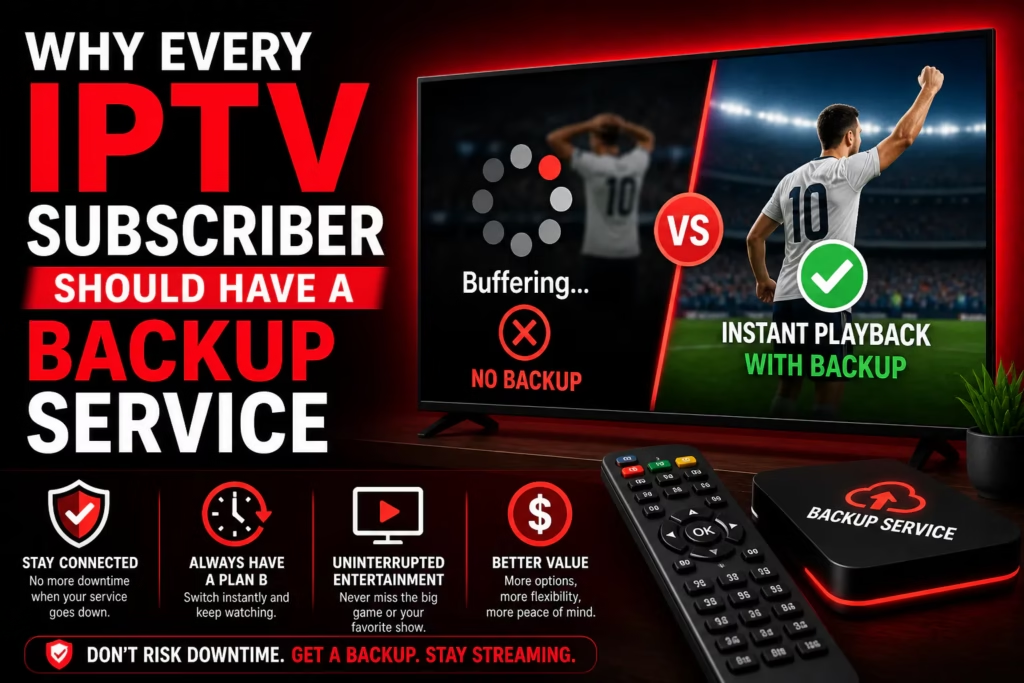
Your IPTV service will go down at some point. Not might – will. Every subscriber experiences it eventually: a server outage, a domain change, a technical issue that happens to coincide with the opening minutes of a match you have been looking forward to all week. The question is not whether it happens but whether you are prepared when it does.
Having a backup IPTV service costs less than most people expect – and the peace of mind during a live event is worth considerably more than the £5-£8 per month a second annual subscription works out at. This post covers why a backup matters, how to choose one that complements rather than duplicates your primary service, and which providers make the most sense in that role.
Table of Contents
- Why IPTV Services Go Down
- The Real Cost of Having No Backup
- What to Look for in a Backup Service
- Primary vs Backup: How to Split Them
- Best Backup Options from Reviewed Providers
- How to Set Up a Backup in 10 Minutes
- FAQ
Why IPTV Services Go Down
Understanding why services go down helps you choose a backup that addresses different failure modes from your primary service.
Server overload. The most common cause of temporary outages. During peak events – a major boxing card, a Champions League final, a popular season premiere – thousands of subscribers connect simultaneously and provider servers struggle to keep up. This affects all subscribers on the same provider at the same time. A backup on a different provider is unaffected by your primary provider’s server load.
ISP throttling. Not a provider failure but has the same effect from your end. Your internet provider selectively slows streaming traffic during peak hours. If your primary service buffers every Saturday evening regardless of provider, a backup on the same connection will have the same problem – this is where a VPN helps rather than a backup service. See our VPN guide for IPTV to diagnose this first.
Domain changes. Providers occasionally move to new domains without notifying subscribers clearly. Your app’s server URL stops working, streams stop loading, and you assume the service has failed. Sometimes it has simply moved. A backup gives you immediate access while you track down the new URL.
Permanent shutdown. Services close. Some with notice, most without. Our IPTV provider graveyard documents confirmed shutdowns – the pattern is consistent: services close with little or no warning and subscribers with no backup are left scrambling mid-subscription. If you are on a provider that has been operating for less than two years, a backup is particularly worth having.
Planned maintenance. Less common but real. Providers occasionally take servers down for maintenance, sometimes at inconvenient times. A backup covers the window.
The Real Cost of Having No Backup
Consider the scenario most subscribers dread. You have been looking forward to a major match all week. You sit down at kick-off. Your IPTV service is down – server overload, domain issue, whatever the cause. You spend the first 20 minutes of the first half trying to fix it, find an alternative stream, or contact support. You miss the opening goal. The service comes back in the second half but the moment is gone.
A backup subscription at £6-£8 per month on an annual plan costs less than two pints at a pub showing the same match. For subscribers who watch sport regularly, the calculus is straightforward. For subscribers who mainly use IPTV for VOD and catch-up, the urgency is lower – but a service outage that lasts several days while a provider resolves a technical issue is still frustrating without an alternative.
What to Look for in a Backup Service
A backup service should complement your primary, not duplicate it. The criteria are slightly different from choosing a primary subscription.
Different infrastructure. The point of a backup is coverage when your primary fails. A backup running on the same server infrastructure as your primary – which can happen with reseller services – fails at the same time for the same reasons. Choose a provider that operates independently.
Instant activation. When your primary goes down mid-match you need the backup working immediately. Providers that deliver credentials by email on a short delay are less useful than those with instant activation. Most reviewed providers deliver credentials within minutes of payment – confirm this before subscribing.
Low annual cost. The backup is not your primary viewing experience so there is no need to pay premium rates for the largest channel library. A provider with a solid, reliable stream on your key channels at the lowest annual rate is the right fit. Annual plans at £50-£75 are reasonable for a backup role.
Overlapping channel coverage. Your backup needs to carry the same channels you care about on your primary. Verify the key channels are available during a free trial before committing.
Free trial available. Test the backup before you need it, not during an emergency. A 24 or 36-hour free trial lets you confirm it works on your setup while under no time pressure.
Primary vs Backup: How to Split Them
One practical approach is to choose providers at different price points. Your primary is the best-value service with the broadest channel library and the features you use daily. Your backup is a lower-cost service you keep active specifically for contingency – a different provider, different server infrastructure, confirmed to work on your setup.
Some subscribers run their backup on a different device – Firestick for the primary, Smart TV app for the backup – so there is no configuration needed when switching. Open the backup app, log in, find the channel. Done.
Another approach is to use a backup with a different connection count. If your primary is a 5-device plan for household use, your personal backup could be a cheap single-device annual plan used only for sport on your phone or tablet when the main service goes down.
Best Backup Options from Reviewed Providers
The providers below work well in a backup role based on competitive annual pricing, fast activation, and solid channel coverage on mainstream content. All have been independently reviewed on this site.
| Provider | Annual (1 device) | Trial | Refund | Why It Works as a Backup |
|---|---|---|---|---|
| RealmIPTV | $74.99 | 24hr free (no card) | Confirm on site | Lowest annual rate reviewed for a 40,000+ channel library. Strong value as a backup that doubles as a primary if needed. |
| StreamHD IPTV | $90 | 36hr free (no card) | 3 days | Operating since 2012 — the longest track record reviewed. Server stability from a long-established operation makes it a reliable backstop. |
| Necro IPTV | Confirm on site | 36hr free (no card) | Confirm on site | From $10.99/month — the lowest monthly entry rate reviewed. No auto-renewal means no forgotten charges if circumstances change. |
| Sora IPTV | Confirm on site | 36hr free (no card) | Confirm on site | 36-hour no-card trial and crypto payment. Lifetime plan available if you want a permanent backup with no annual renewal. |
| Trendyscreen | From $65/yr | Free trial | 7 days | Multi-year and lifetime plans available at low effective rates. A lifetime backup subscription removes annual renewal overhead entirely. |
Note on provider choice: Whatever your primary service, your backup should be from a different provider entirely. Do not use two services from the same operator or reseller network – they will share infrastructure and fail together.
How to Set Up a Backup in 10 Minutes
- Choose a backup provider from the table above and start the free trial. Use our trial testing guide to verify your key channels work.
- Subscribe to the annual plan once the trial confirms it works. The annual rate on a backup service is low enough that monthly billing is not worth the premium.
- Add the backup credentials to your IPTV player. In TiviMate you can add multiple playlists – set up the backup as a second playlist so it is one tap away. In IPTV Smarters Pro, add a second account under the Xtream Codes login section.
- Label it clearly. Name the playlist “Backup” in your player so you know which is which during an emergency. The last thing you want is to be hunting through settings mid-match.
- Test the switch. Once set up, practice switching from your primary to your backup. Open the backup playlist, find one of your key channels, confirm it loads. This takes 60 seconds and means you know exactly what to do when you actually need it.
The entire setup takes 10 minutes the first time. After that the backup is there when you need it – no configuration, no scrambling, just a tap to switch playlists.
FAQ
Is it worth having two IPTV subscriptions?
For regular viewers, yes. An annual backup subscription at $74-$90 per year works out at under $8/month. The cost of missing a major live event through a service outage – in frustration if not in money – is higher than that for most subscribers who watch sport or follow appointment TV.
Can I use the same IPTV player for both services?
Yes. TiviMate supports multiple playlists natively – add both services and switch between them from the settings menu. IPTV Smarters Pro also supports multiple accounts. Most major IPTV player apps handle this without any additional cost.
What if my backup service also goes down?
Two independently operated services failing simultaneously is very unlikely unless the cause is on your end – broadband outage, ISP throttling, or device issue. If both fail at the same time, check your internet connection and try a VPN before assuming both providers are down.
Should my backup be a cheaper or similar quality service?
It depends on how you use it. If the backup is purely for emergencies – live events when your primary fails – a cheaper service with solid core channel coverage is fine. If you might use it regularly for a second household stream, choose a service you would be happy using as a primary.
How do I know if my IPTV service has gone down or if it is my connection?
Try loading a website or running a speed test on the same device. If those work normally, the problem is the IPTV service rather than your connection. Check whether other subscribers are reporting issues or the provider’s social channels. See our full buffering diagnosis guide for a step-by-step approach.
Start a Free Trial Compare All Providers
Last updated May 2026.